

Real-World Applications & Detailed Comparison

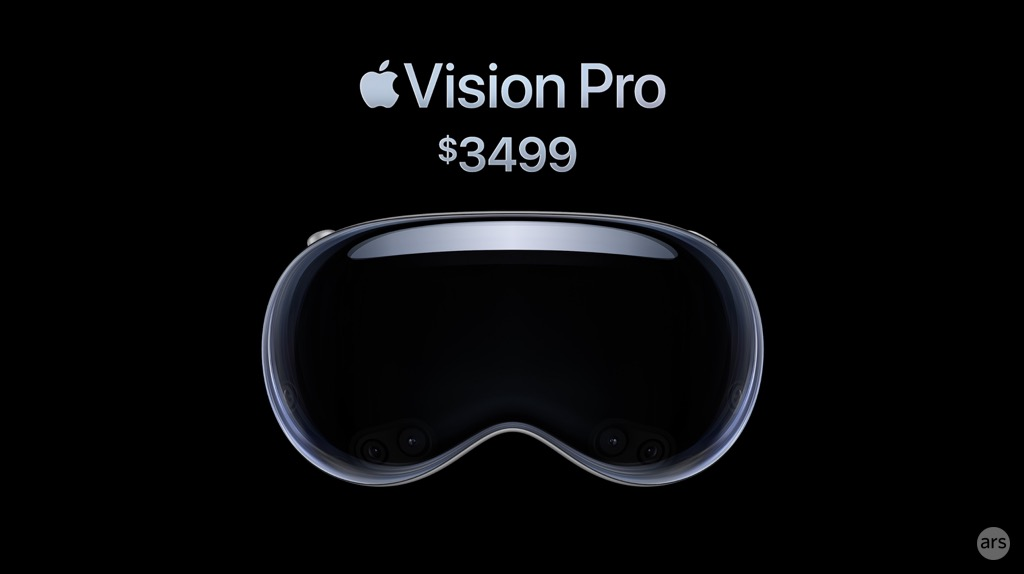
Apple Vision Pro

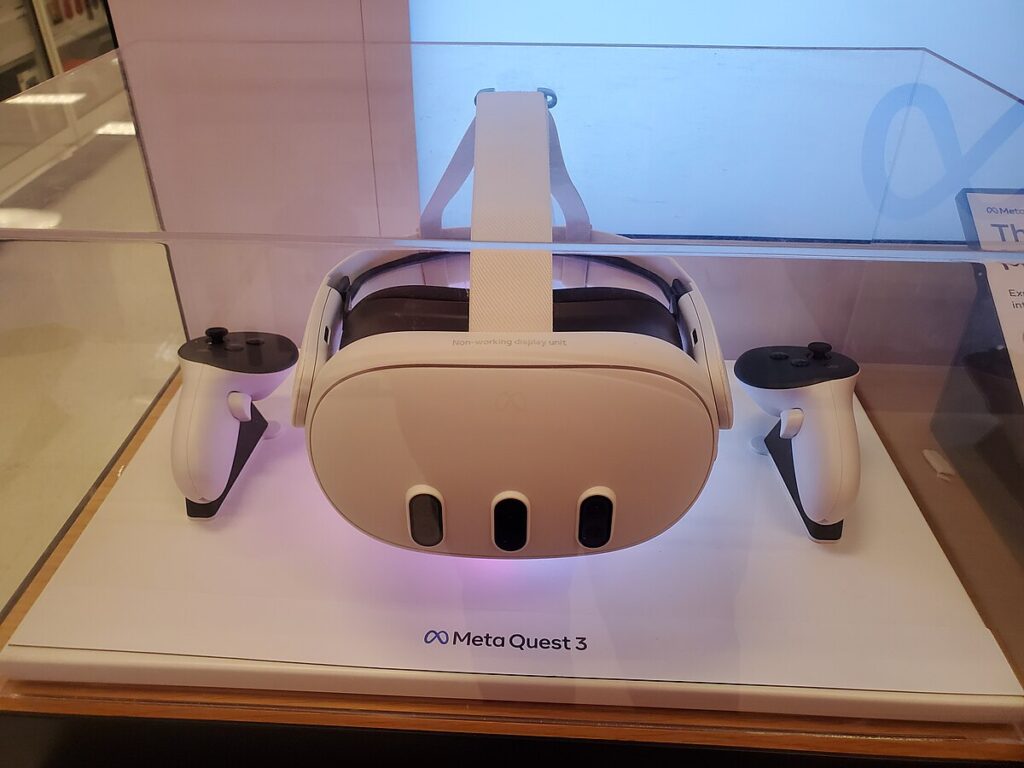
Meta Quest 3
Introduction
The virtual and augmented reality landscape has evolved dramatically in recent years, with two major contenders now competing for dominance: Apple’s premium Vision Pro and Meta’s more accessible Quest 3. Both devices represent the cutting edge of mixed reality technology, but they target different markets and use cases with vastly different price points.
Apple entered the spatial computing market with its $3,499 Vision Pro, positioning it as a premium productivity device rather than just a VR headset. Meanwhile, Meta (formerly Facebook) continues to dominate the consumer VR space with its Quest 3, priced at a more accessible $499, maintaining its position with a 77% market share in the global VR headset market as of 2024.
This comparison explores both devices based on real-world applications, technical specifications, and practical use cases to help determine which headset might be right for different users and scenarios.
Technical Specifications: Head-to-Head
| Feature | Apple Vision Pro | Meta Quest 3 |
|---|---|---|
| Price | $3,499 (256GB), $3,699 (512GB), $3,899 (1TB) | $499.99 (512GB), previous models: $299.99 (128GB) |
| Processor | Apple M2 chip + R1 chip | Snapdragon XR2 Gen 2 |
| Display | Micro-OLED with 23 million pixels (equivalent to 4K per eye) | LCD panels with 2064 x 2208 resolution per eye |
| Refresh Rate | 90Hz, 96Hz, 100Hz | 90Hz-120Hz |
| Field of View | Approximately 90 degrees | Approximately 106 degrees |
| RAM | 16GB | 8GB |
| Storage | 256GB, 512GB, 1TB options | 128GB, 512GB options |
| Battery Life | 2-2.5 hours (external battery pack) | 2.2 hours (integrated battery) |
| Weight | 600-650g (headset) + 353g (battery) | 515g (all-in-one) |
| Input Methods | Eye tracking, hand gestures, voice | Controllers, hand tracking, voice |
| Operating System | visionOS (based on iOS) | Android-based custom OS |
| Connectivity | Wi-Fi 6, Bluetooth 5.3 | Wi-Fi 6E, Bluetooth 5.2 |
The specifications reveal the fundamental differences in approach between the two devices. Apple has focused on premium display technology and powerful processing with its dual-chip architecture, while Meta has prioritized affordability while still delivering capable hardware. The Vision Pro’s micro-OLED display technology delivers exceptional clarity, while the Quest 3 offers a wider field of view that can feel more immersive in certain applications.
Design and Comfort
Apple Vision Pro
- Premium materials with aluminum frame
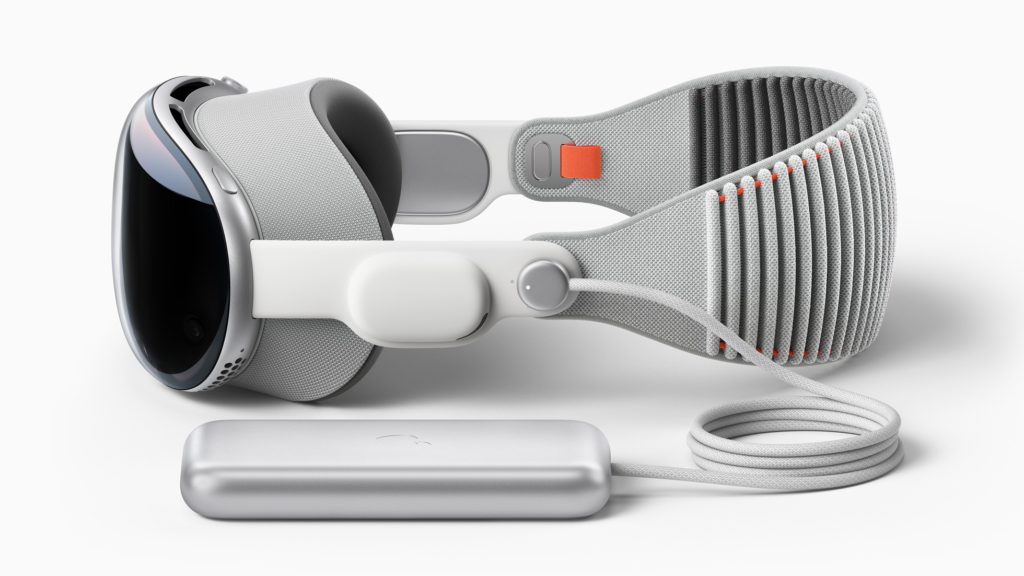
- External battery pack connected via cable
- Requires prescription lens inserts for glasses wearers
- Customizable fit with different light seals and head bands
- More front-heavy design
- Not designed for easy sharing between users
Meta Quest 3

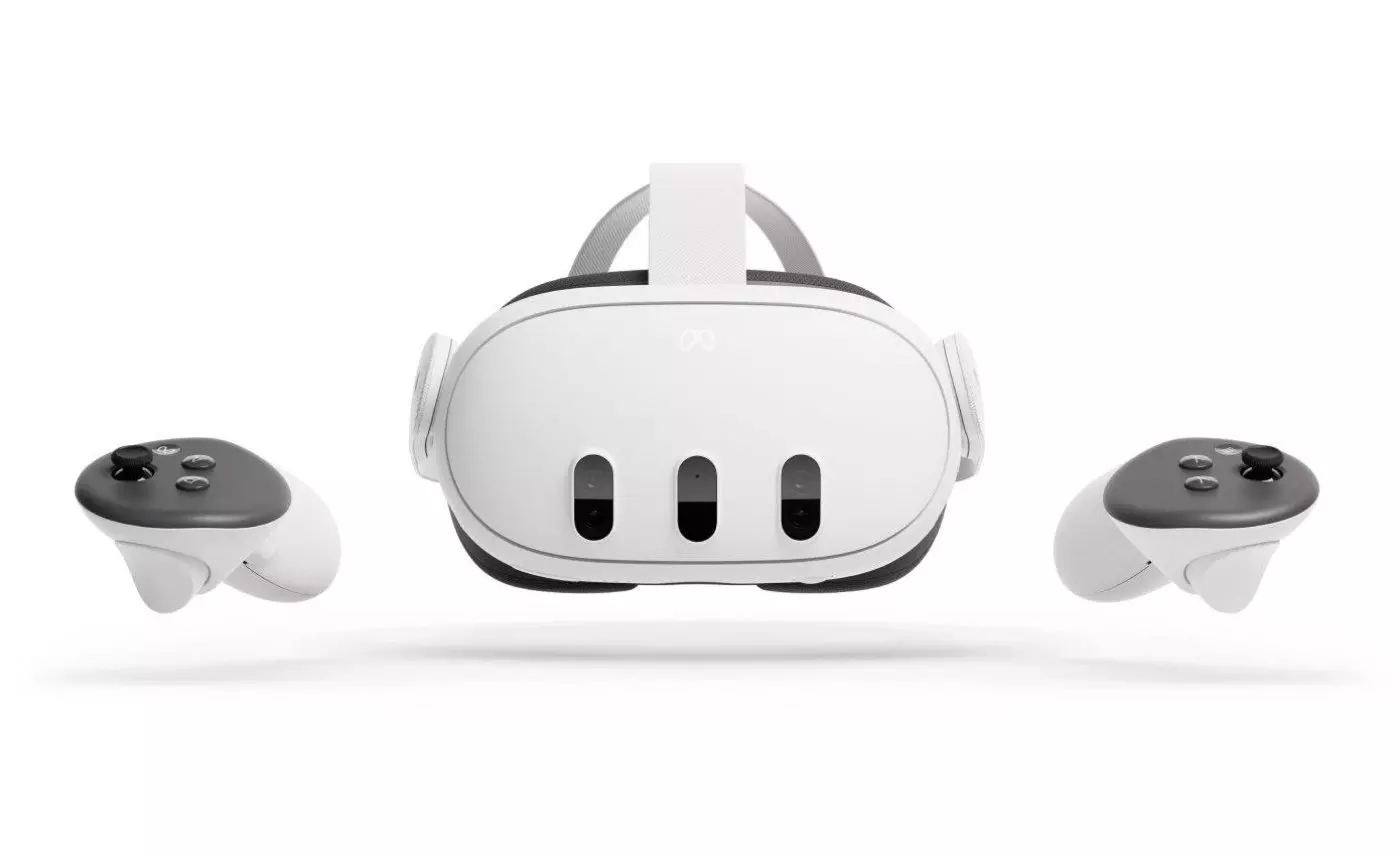
- Lightweight, integrated design
- Works with glasses
- Universal headband and face mask
- Supports multiple user accounts
- Better balanced weight distribution
- Easier to share with friends and family
The design philosophy between the two headsets reflects their intended use cases. The Vision Pro prioritizes display quality and premium materials at the expense of weight distribution, requiring an external battery pack. The Quest 3 focuses on accessibility and ease of use, with a fully integrated design that’s more suitable for casual use and sharing with others.
“While I did quickly notice the Vision Pro’s more narrow field of view (90 vs. 106 degrees on Meta Quest 3), it wasn’t the deal breaker that I thought it might be. Both headsets have their comfort challenges during extended use, but the Quest 3’s lighter, all-in-one design makes it more practical for active applications.”
Display and Visual Experience
The visual experience is perhaps the most significant differentiator between these devices, with Apple making substantial investments in display technology:
Apple Vision Pro Display
- Micro-OLED technology with 23 million total pixels
- Equivalent to 4K resolution per eye
- Exceptional clarity for text and fine details
- 92% DCI-P3 color gamut
- Superior for viewing movies and high-resolution content
- Supports multiple refresh rates (90Hz, 96Hz, 100Hz)
- High-quality passthrough cameras provide clearer view of surroundings
Meta Quest 3 Display
- LCD panels with 2064 x 2208 resolution per eye
- 30% higher resolution than Quest 2
- Wider 106-degree field of view
- Higher refresh rate options up to 120Hz
- Color passthrough is improved over Quest 2 but still somewhat fuzzy
- Less ideal for reading text or detailed work
- Acceptable but not exceptional for video content
The display quality difference becomes most apparent in specific use cases. For professionals who need to read text or view detailed information, the Vision Pro’s higher resolution display provides a significantly better experience. For gaming and more active uses, the Quest 3’s wider field of view can create a more immersive feeling, even with its lower resolution.
For mixed reality applications where users need to see their surroundings, both headsets use passthrough technology, but Apple’s implementation provides a clearer, less distorted view. This makes the Vision Pro better suited for applications where real-world interaction is frequent or important.
Real-World Use Cases
Productivity and Work
Apple Vision Pro
- Unlimited virtual screens at any scale
- Superior text clarity for documents
- Can function as a virtual 4K display for Mac
- Full access to iOS app ecosystem
- Multi-app multitasking capability
- Excellent for Microsoft 365, Webex, Zoom
- Professional-quality video conferencing with Personas
Meta Quest 3
- Multiple virtual monitors possible via third-party apps like Immersed
- Limited to running one app at a time (except browser)
- Text not as crisp for document work
- Works with PC and Mac
- Less extensive productivity app ecosystem
- More affordable option for virtual desktop
- Requires separate sign-ins for each app
For professional work environments, the Vision Pro clearly has the edge with its superior display resolution, multitasking capabilities, and integration with Apple’s ecosystem. Its ability to render text clearly makes it much more suitable for tasks like coding, document editing, or spreadsheet work.
“Apple’s fancier Vision Pro has the edge when it comes to feeling like a crisp monitor on your face. Those bright micro-OLED displays make a projected MacBook screen, any 2D app or photos or videos look stellar. But the Vision Pro limits you to one virtual Mac monitor at a time — no matter how powerful your Mac is.”
Entertainment and Media Consumption
Apple Vision Pro
- Cinema-quality display for movies
- Support for Apple TV+, Disney+, Max, Amazon Prime Video
- Immersive Video format for select content
- Excellent spatial audio with dynamic head tracking
- Superior 3D spatial video playback
- No support for YouTube 360° videos
- Difficult to share movie experiences with others
Meta Quest 3
- Acceptable but not exceptional display for video
- Support for Prime Video, Netflix, and other streaming services
- Can play YouTube 360° and VR180 videos
- Can play iPhone spatial videos (lower quality than Vision Pro)
- Social viewing features for watching with friends
- More accessible for sharing experiences
- Better for immersive web VR content
For pure media consumption, especially movies and TV shows, the Vision Pro provides a significantly better visual experience. Its high-resolution display and excellent color reproduction make it comparable to watching content on a high-end television. However, the Quest 3 offers better compatibility with existing 360° content and is easier to share with friends and family.
“For playing movies, personal videos, or basically any video, Apple’s Vision Pro is a revelation. If you can find a comfortable fit for the headset, its displays create a cinema-like experience… The Vision Pro, meanwhile, is better than my TV. Movies feel special.”
Gaming
Apple Vision Pro
- Limited gaming library currently
- No physical controllers, relies on eye and hand tracking
- Not designed primarily as a gaming device
- Apple Arcade games available
- Some casual games work well with hand tracking
- Higher latency for fast-paced games
- Limited support for advanced VR game mechanics
Meta Quest 3
- Extensive library of VR games
- Includes physical controllers with haptic feedback
- Positioned primarily as a gaming device
- Can connect to PC for Steam VR games
- Mixed reality games that use your physical space
- Optimized for gaming performance
- Supported by major game developers
For gaming, the Meta Quest 3 is the clear winner. Its dedicated controllers, extensive game library, and focus on gaming experiences make it far more suitable for this use case. The Vision Pro’s lack of physical controllers and limited game library make it a poor choice for serious gamers.
“My kids use the Quest 2 for Gorilla Tag, Beat Saber and lots of other games. It’s a game console. Meta has invested in developing hundreds of games, and plenty of great ones exist. The Quest headsets can also connect to a Windows PC and play Steam VR games like Half-Life Alyx, too.”
Healthcare and Medical Applications
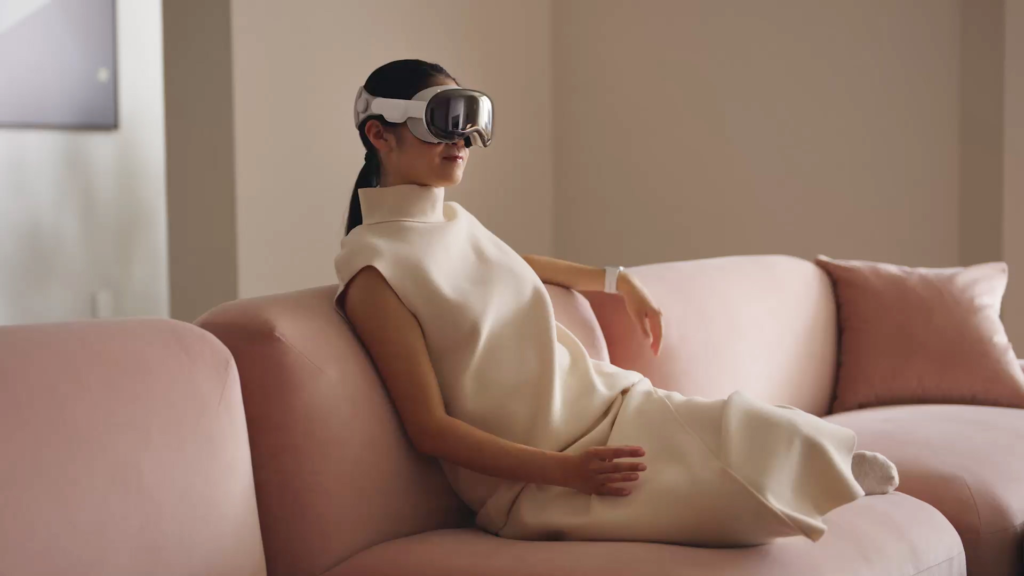
Apple Vision Pro
- Higher resolution ideal for medical imaging
- Better for visualizing fine anatomical details
- Potential for surgical planning applications
- Secure iOS ecosystem suitable for patient data
- Limited medical apps currently available
- High cost may limit institutional adoption
Meta Quest 3
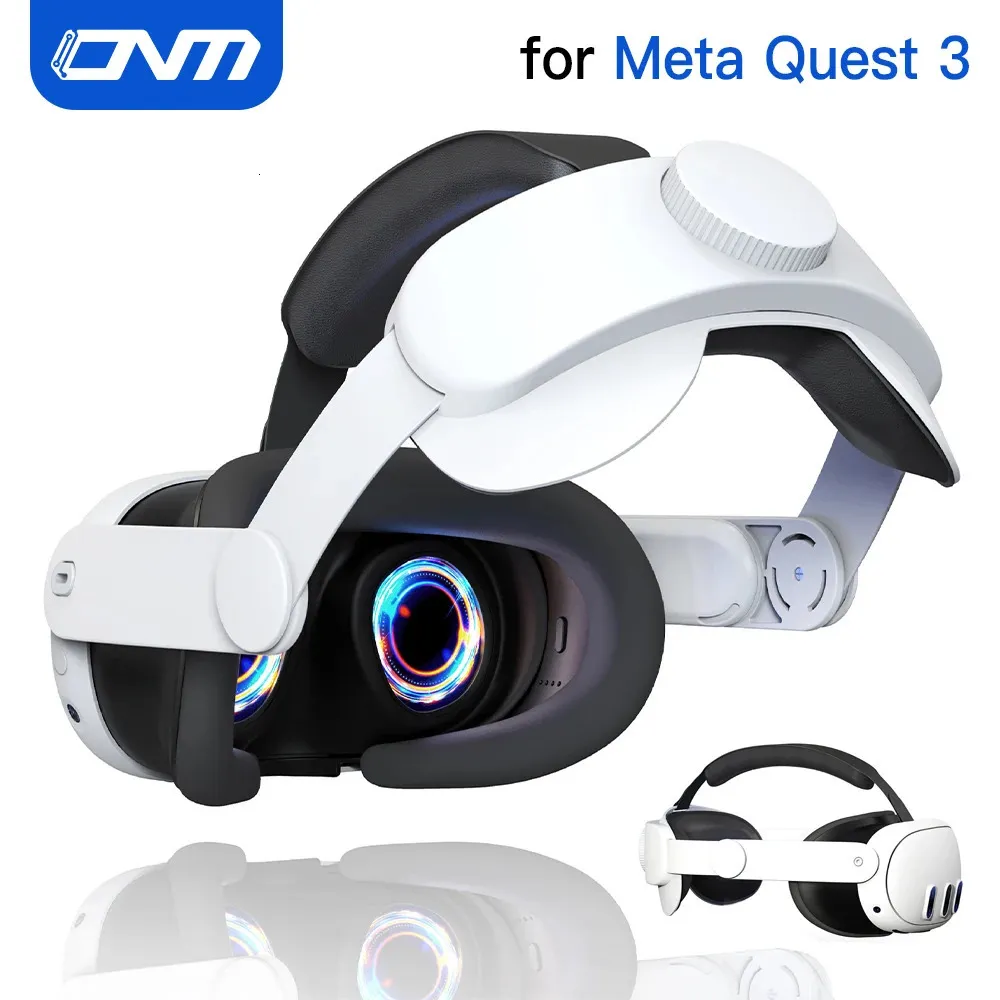
- Medicalholodeck app for 3D anatomy visualization
- DICOM format medical imaging capability
- Growing library of medical training applications
- More affordable for educational institutions
- Established presence in medical education
- AI-assisted CT scan segmentation tools
Both devices show promise for medical applications, with different strengths. The Vision Pro’s superior display resolution makes it better for detailed visualization, while the Quest 3’s established ecosystem and lower price point have allowed for greater adoption in medical education settings. Medicalholodeck on Quest 3 is specifically designed for medical imaging and training scenarios.
In educational settings, Meta Quest 3 enriches learning by enabling interactive exploration of human anatomy and pathologies. For practitioners, it aids in case reviews, fostering better understanding and collaboration.
Enterprise Solutions
Apple Vision Pro
- Porsche Race Engineer app for real-time data visualization
- FireOps for emergency response management
- KLM Royal Dutch Airlines Engine Shop for maintenance
- NVIDIA Omniverse Cloud APIs for 3D engineering data
- Enterprise-grade MDM capabilities built into visionOS
- Integration with existing Apple enterprise solutions
- Enterprise Spatial Design Lab for app development
Meta Quest 3
- TeamViewer Spatial Support for remote assistance
- Taqtile Manifest for work instructions
- Lower cost for fleet deployment
- Established presence in enterprise training
- Easier to manage multiple devices
- More mature enterprise ecosystem
- Better for active, hands-on training scenarios
Apple is making a strong push into enterprise applications with the Vision Pro, focusing on high-value use cases in industries like aviation, automotive, and emergency services. The device’s premium capabilities make it suitable for specialized professional applications where visual fidelity is critical.
Meta’s Quest platform has a more established enterprise presence, with a focus on training, remote assistance, and collaboration tools. Its lower price point makes it more feasible for larger-scale deployments across an organization.
Education and Training
Apple Vision Pro
- High-resolution visualization of complex subjects
- Potential for immersive educational content
- Limited educational apps currently available
- Higher cost limits educational deployment
- Better for detailed anatomical study
Meta Quest 3
- Larger library of educational applications
- More affordable for schools and universities
- Better suited for classroom deployment
- Physical controllers benefit interactive learning
- Established presence in educational institutions
For educational applications, the Meta Quest 3’s lower price point and more mature ecosystem make it the current leader, particularly for widespread deployment in educational settings. The Vision Pro has potential for specialized educational applications where visual fidelity is critical, but its high cost limits broader adoption.
Fitness and Wellness
Apple Vision Pro
- Limited fitness applications
- Weight and design not ideal for active movement
- External battery cable can be restrictive
- No dedicated fitness tracking features
- Some meditation apps available
Meta Quest 3
- Extensive library of fitness applications
- Supernatural for guided workouts
- Lighter weight better suited for movement
- Built-in fitness tracking capabilities
- Apple Watch integration for heart rate monitoring
- Active community around VR fitness
The Meta Quest 3 is clearly superior for fitness applications. Its lighter weight, integrated design without external cables, and extensive library of fitness apps make it well-suited for active use. The Vision Pro’s weight, external battery, and limited fitness app ecosystem make it a poor choice for this use case.
“I spent 30 minutes in an intense boxing workout. My heart rate hit 150, and I could feel it. It was great. Coach Doc is serious. I followed through and did a cool-down exercise — and all of this happened inside the Meta Quest 3. Then I wiped down the headset and then got back to work… inside the Apple Vision Pro.”
Price Comparison and Value Proposition
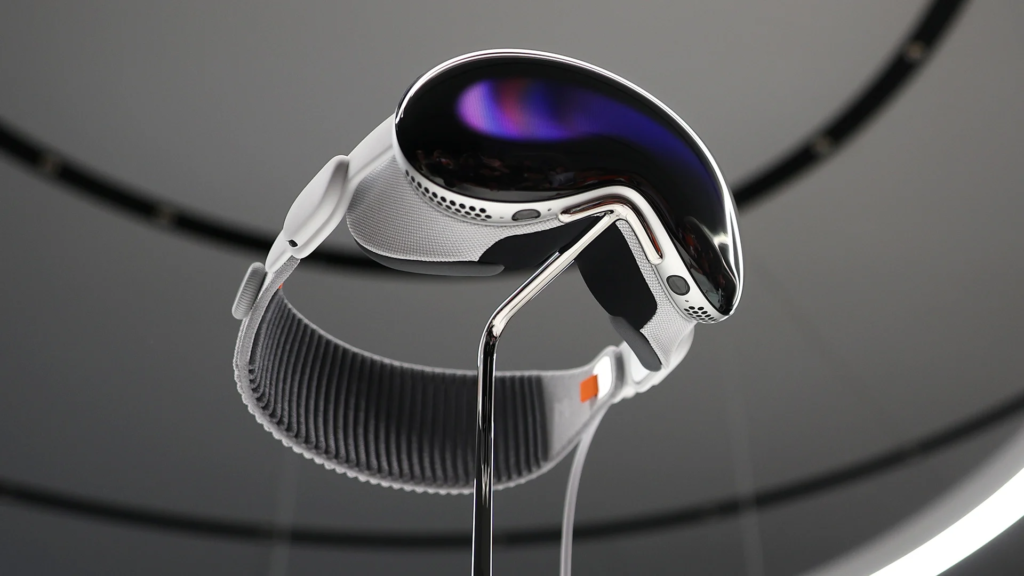
Apple Vision Pro: $3,499-$3,899
Best Value For:
- Professionals who need multiple virtual displays
- Media enthusiasts who value display quality
- Apple ecosystem users who need iOS app integration
- Industries requiring high-fidelity visualization
- Early adopters willing to invest in future technology
Additional Costs:
- Prescription lens inserts ($99-$149)
- AppleCare+ ($499)
- Hard carrying case ($199)
- Travel case ($99)
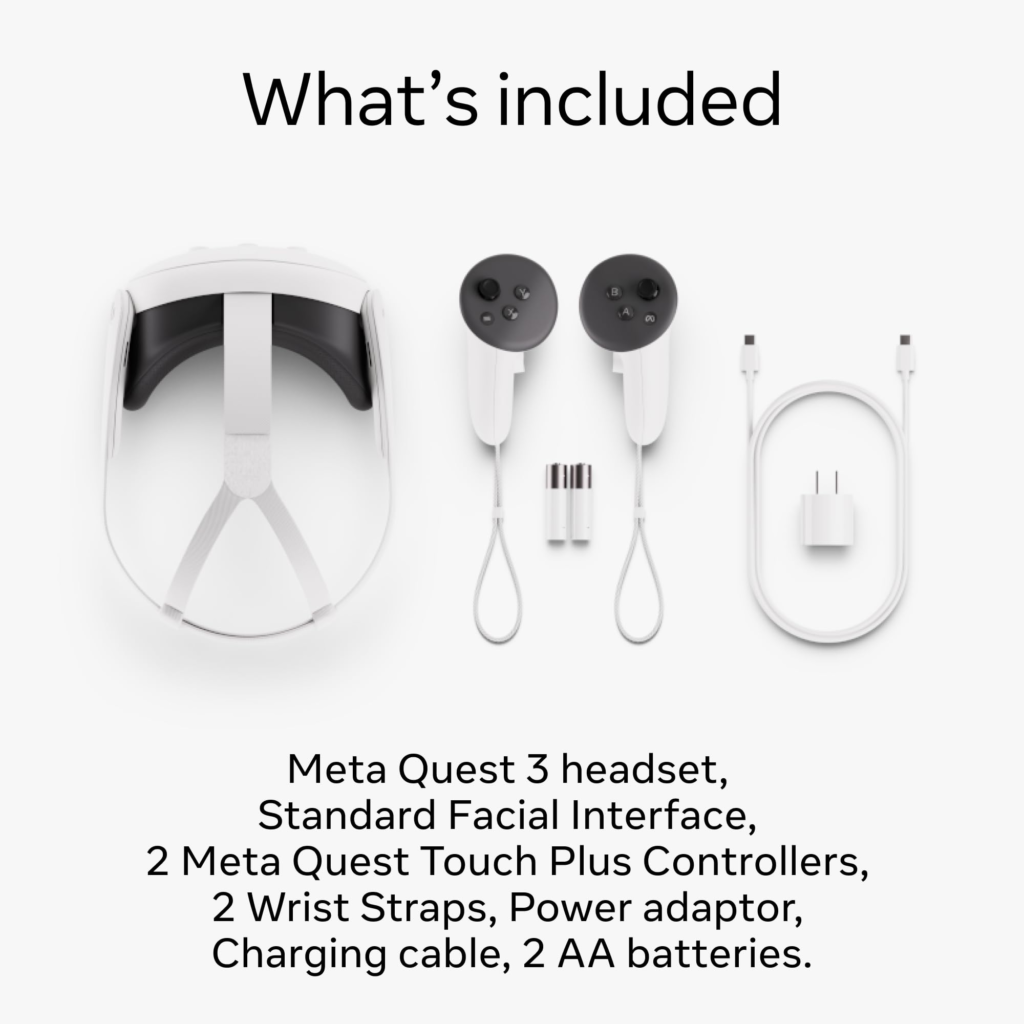
Meta Quest 3: $499.99
Best Value For:
- Gamers looking for an extensive VR library
- Fitness enthusiasts using VR for workouts
- Educational institutions deploying multiple units
- Casual users exploring mixed reality
- Families wanting to share a device
Additional Costs:
- Carrying case ($69.99)
- Elite strap for comfort ($59.99)
- Replacement controllers ($74.99 each)
- Fitness subscriptions (e.g., Supernatural $19.99/month)
The price difference between these two devices is substantial and reflects their different market positioning. At seven times the cost of the Quest 3, the Vision Pro represents a significant investment that’s hard to justify for casual users. Its value proposition is strongest for professionals who will use it extensively for productivity or specialized applications where its superior display and processing capabilities provide tangible benefits.
The Quest 3 offers tremendous value for consumers, particularly those interested in gaming, fitness, or casual mixed reality experiences. Its lower price point makes it accessible to a much wider audience and allows for experimentation without a massive financial commitment.
Conclusion: Which Device Is Right For You?
Choose Apple Vision Pro If:
- You’re a professional who needs the highest quality display for detailed work
- You’re deeply integrated into the Apple ecosystem
- You want the best possible visual experience for media consumption
- You need iOS app multitasking in a spatial environment
- Budget is not a primary concern
- You’re an early adopter wanting to experience Apple’s vision of spatial computing
- You need enterprise-grade security and management capabilities
Choose Meta Quest 3 If:
- You’re primarily interested in VR gaming
- You want to use the device for fitness applications
- You need to share the headset with family or friends
- You’re on a limited budget
- You want access to the largest library of VR content
- You prefer physical controllers for interaction
- You need compatibility with SteamVR games
Both devices represent significant technological achievements in their respective categories. The Apple Vision Pro showcases what’s possible at the premium end of the market, with display technology and processing power that set new standards for mixed reality devices. The Meta Quest 3 demonstrates how mixed reality can be made accessible to mainstream consumers while still delivering compelling experiences.
In many ways, these devices aren’t direct competitors but rather represent different approaches to spatial computing that will likely influence each other in future iterations. Meta may adopt some of Apple’s premium display technologies as they become more affordable, while Apple may learn from Meta’s expertise in gaming, fitness, and social experiences.
As the technology evolves and prices inevitably drop, the distinction between these approaches may blur, bringing the best of both worlds to a wider audience. For now, consumers have a
You can visit Our other Blogs here luxira.in
You can buy meta quest 3s here